How the Security Portal works
An organisation’s security does not sit in a single office: it covers systems, people, places, travel and data. The Security Portal brings these four dimensions together in one place, with content written to be consulted when you need it and an assistant that helps you find the answer.
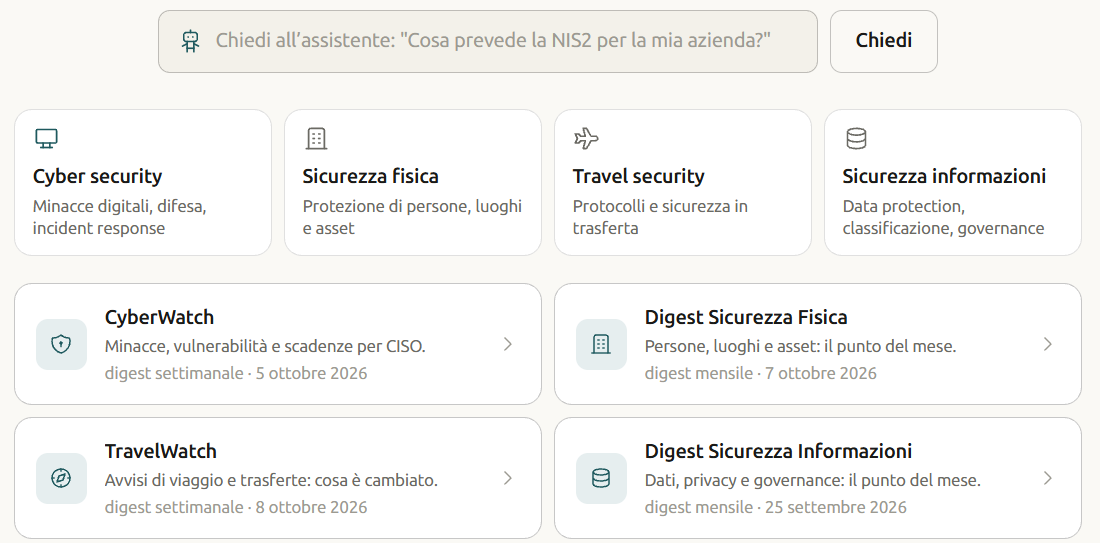
Four domains, one knowledge base
- Cyber security — digital threats, defence, incident response.
- Physical security — protecting people, places and assets.
- Travel security — protocols and safety on business travel.
- Information security — data protection, classification, governance.
Much of the content spans more than one domain: a business trip is also a question of devices and data.
What you will find
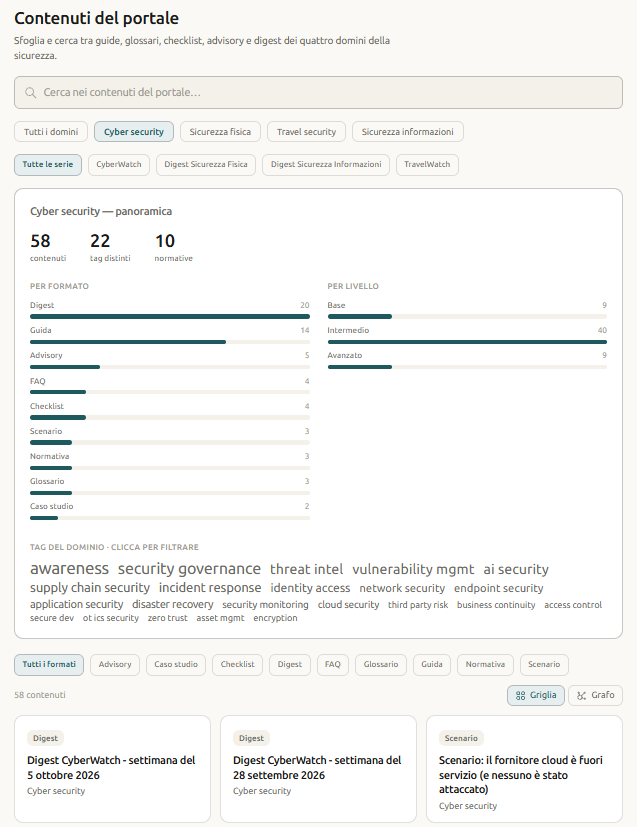
- Guides — a topic explained from start to finish, with the practical steps.
- Checklists — what to check, in order, before a deadline, a trip or an audit.
- Glossaries and FAQs — the terms and questions that come up most often, in brief.
- Case studies and scenarios — realistic situations and how to handle them.
- Regulatory summaries — the rules that matter (for example NIS2, GDPR, DORA, the AI Act), explained in plain language.
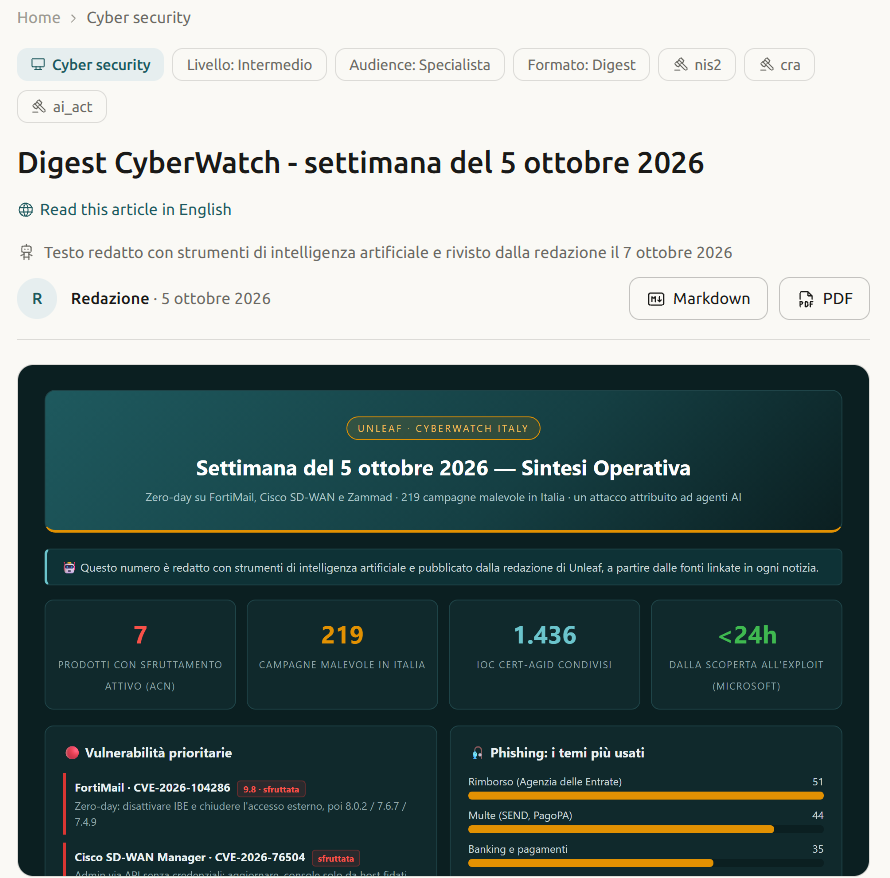
- Advisories and digests — the regular updates of the editorial series.
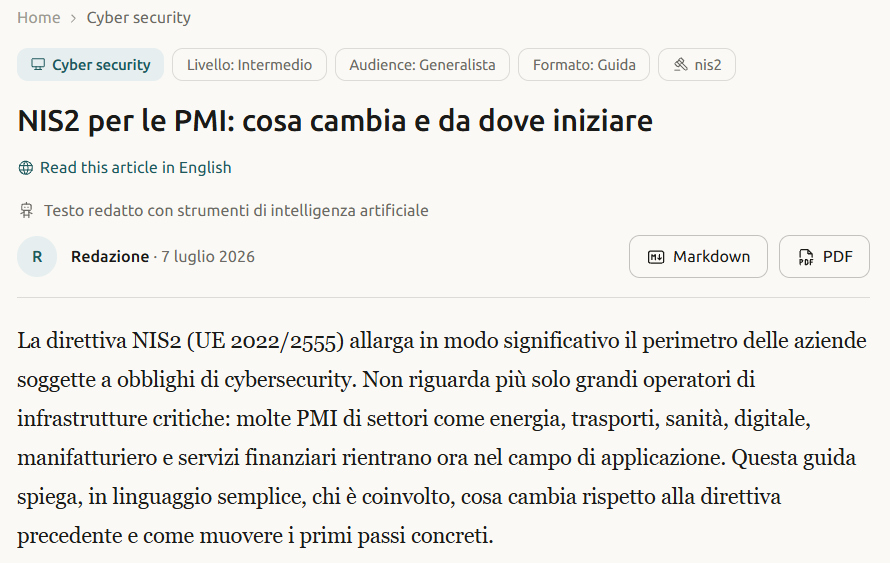
Each item shows its domain, format and level (basic, intermediate, advanced), and can be downloaded as a PDF or in Markdown for internal use within your organisation. Under the title of each item you will find how it was written: the texts are written with artificial intelligence tools and, where this is the case, reviewed by the editorial team.
The series: what changed, week by week
- CyberWatch — every week: threats, vulnerabilities and deadlines for those working in cyber security.
- TravelWatch — every week: travel advice and business trips, what changed.
- Physical security digest and Information security digest — every month, the state of play in the domain.
Each series has its own archive on the portal. CyberWatch also comes by email: you can subscribe on unleaf.it.
The AI assistant
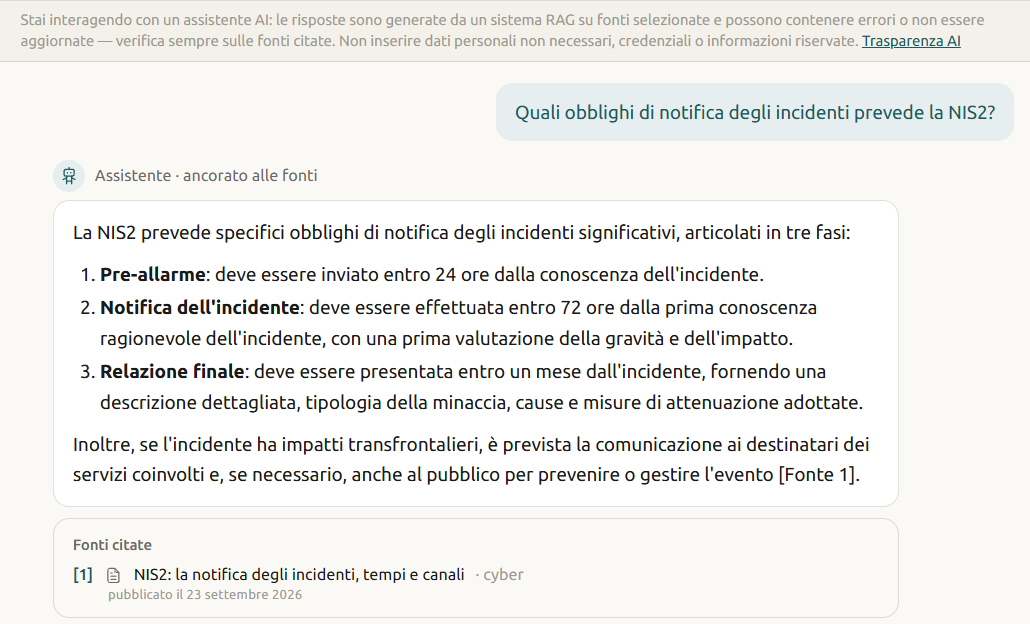
Ask a question in Italian or English, as you would ask a colleague. The assistant:
- searches for the relevant passages in the portal’s knowledge base: the editorial content and texts from selected public sources, listed on the “Sources & method” page;
- answers from those passages and, as a rule, shows the sources used, with numbered references you can open;
- when the portal has no relevant information, it is instructed to say so instead of improvising.
Answers take your role into account: more technical for people who work in security, more accessible for those who do not.
What you need to know: the assistant is an artificial intelligence system and its answers may contain errors. Check the cited sources before relying on them. Answers are for information only and are not professional advice. The details are on the “AI notice” page.
The tools in the reserved area
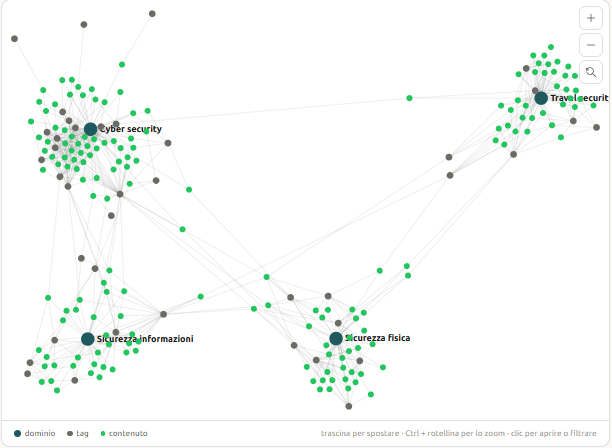
- The catalogue — search by keyword, filter by domain, format, series or tag; switch from the grid to the graph, which shows how content and topics are linked.
- The content page — the text, the sources, related items and the button to ask the assistant to go deeper.
- The assistant — the conversation, with the cited sources under each answer.
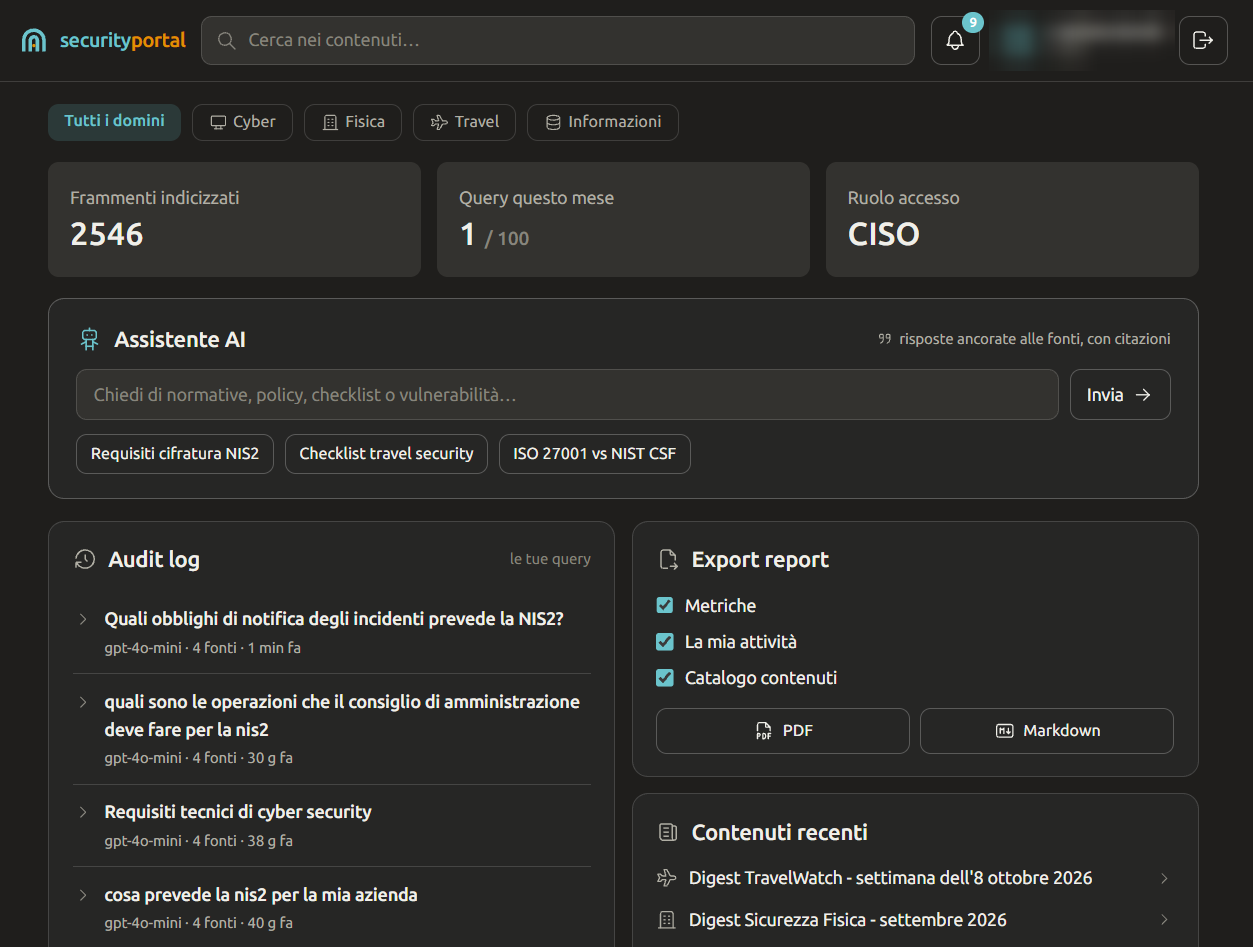
- Your dashboard — the questions you have asked, this month’s metrics, a report to download as a PDF or in Markdown.
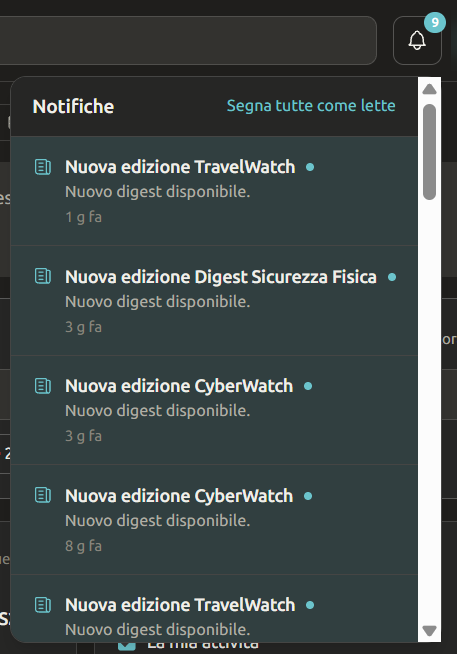
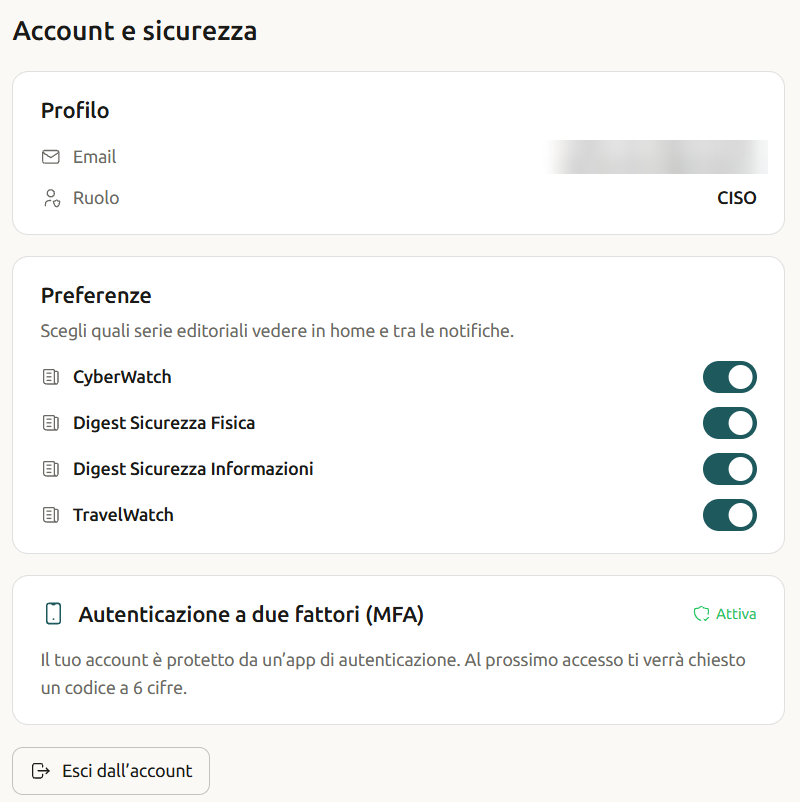
- Notifications and preferences — an alert when a new edition of a series you follow comes out; you choose which ones to see.
How to get access
- Request access with the form: name, email, organisation, role (employee, professional, security manager, CISO) and, if you wish, a message.
- We review the request and, if we approve it, we send you an email invitation.
- You set your password and accept the Terms of use.
- Turn on two-step verification with an authenticator app on your phone: it is recommended.
The portal is a service for professionals and organisations: by requesting access you declare that you will use it for professional purposes. During the pilot phase access is free of charge, by invitation.
Sources, transparency and data
- Sources & method — where the content comes from, which sources we use and how, and how to report an error.
- AI notice — how the assistant works and what its limits are.
- Privacy — what data we process, for how long, and your rights.
- Terms of use — the rules of the service.
Access is protected: encrypted session, two-step verification available for every account.
Who is behind it
The Security Portal is a project by Unleaf, a consultancy in digital transformation and security founded by Stefano Bordi. Almost all the guides start from real questions, and try to answer in a way that is useful on the day you need it.